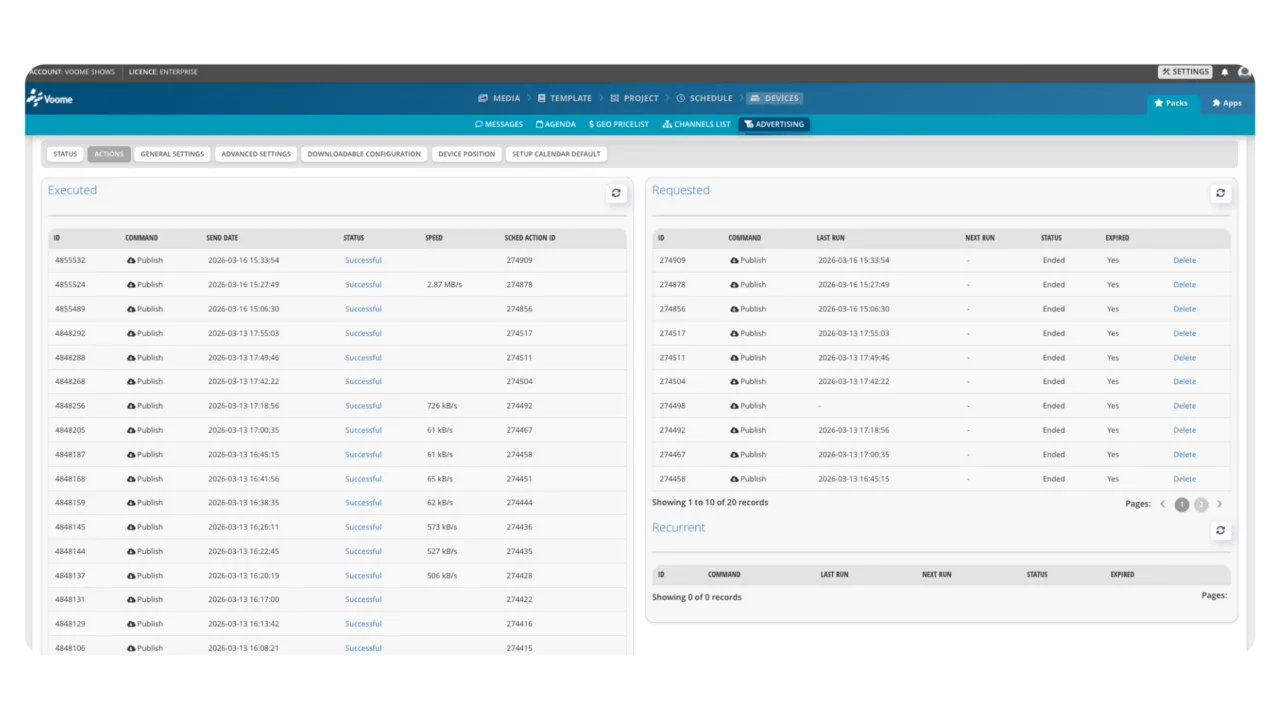
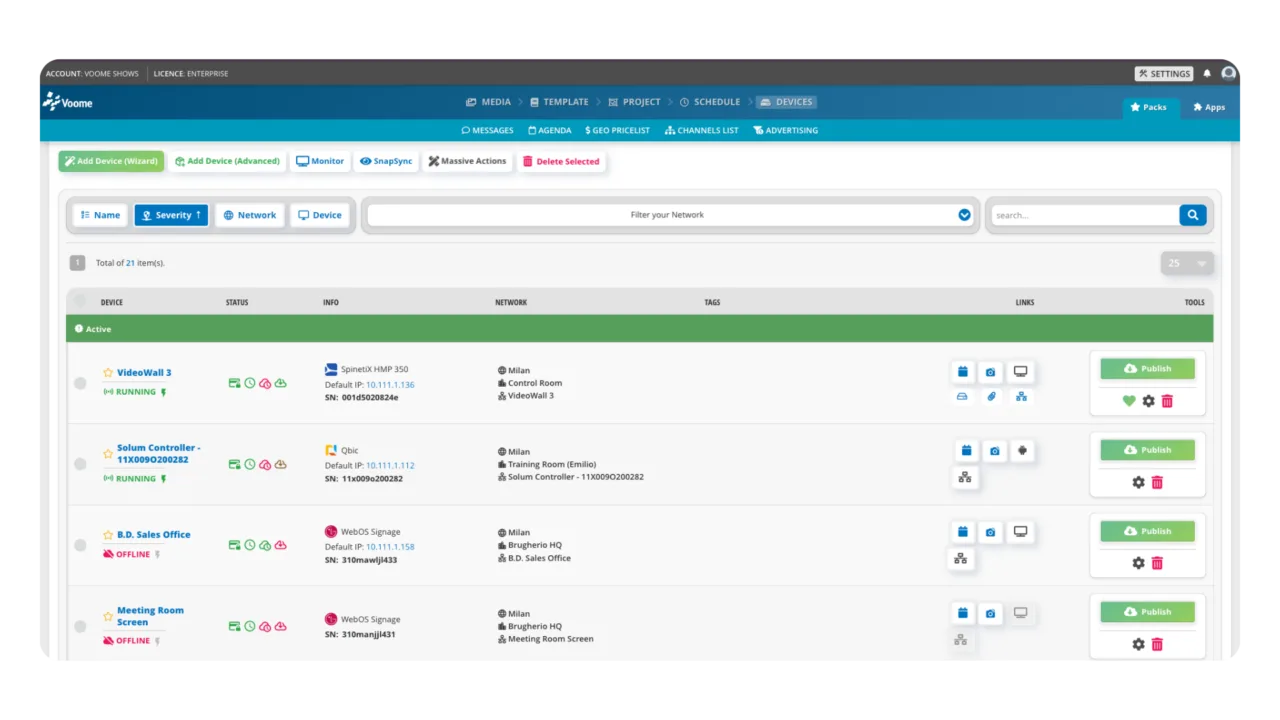
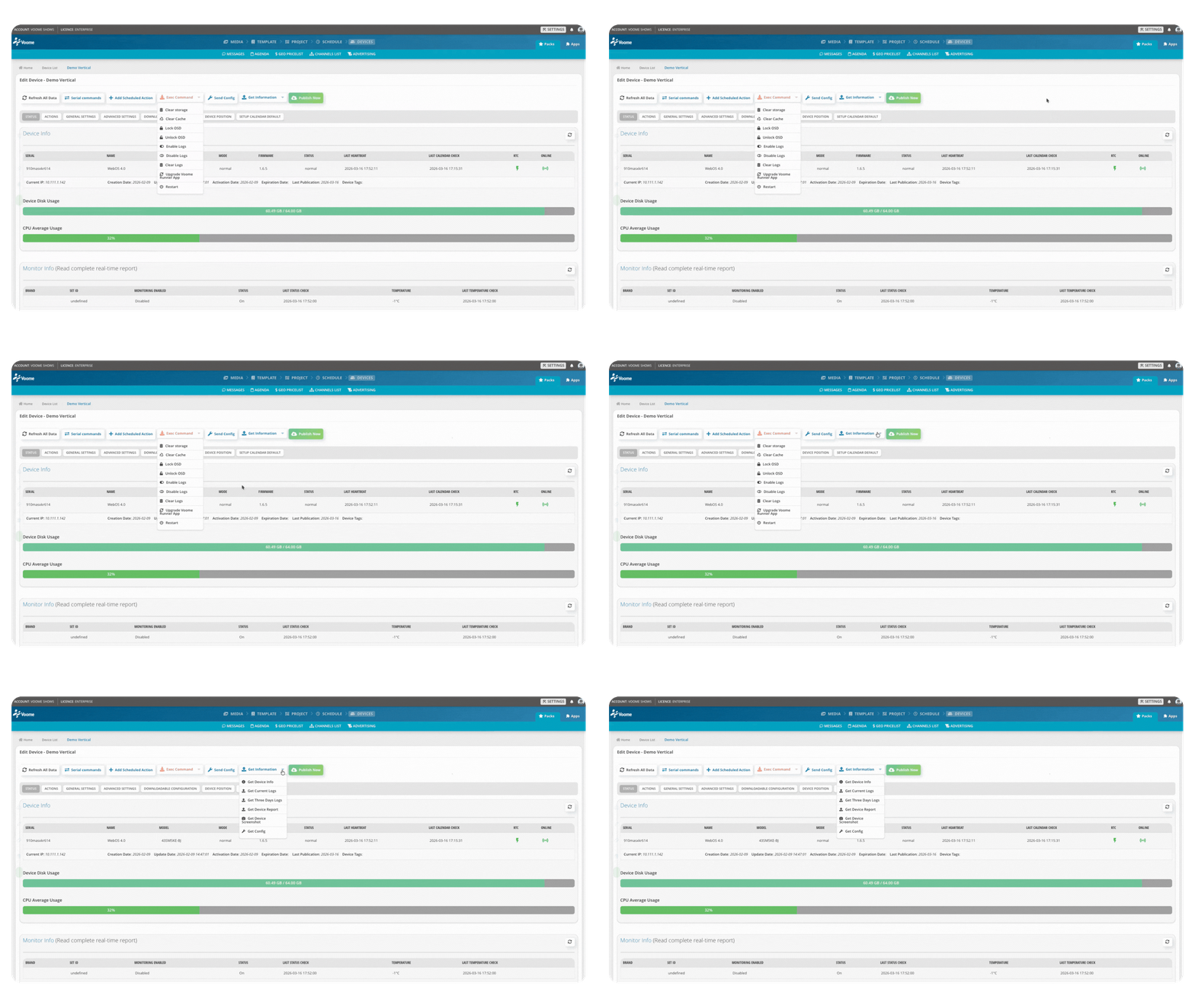
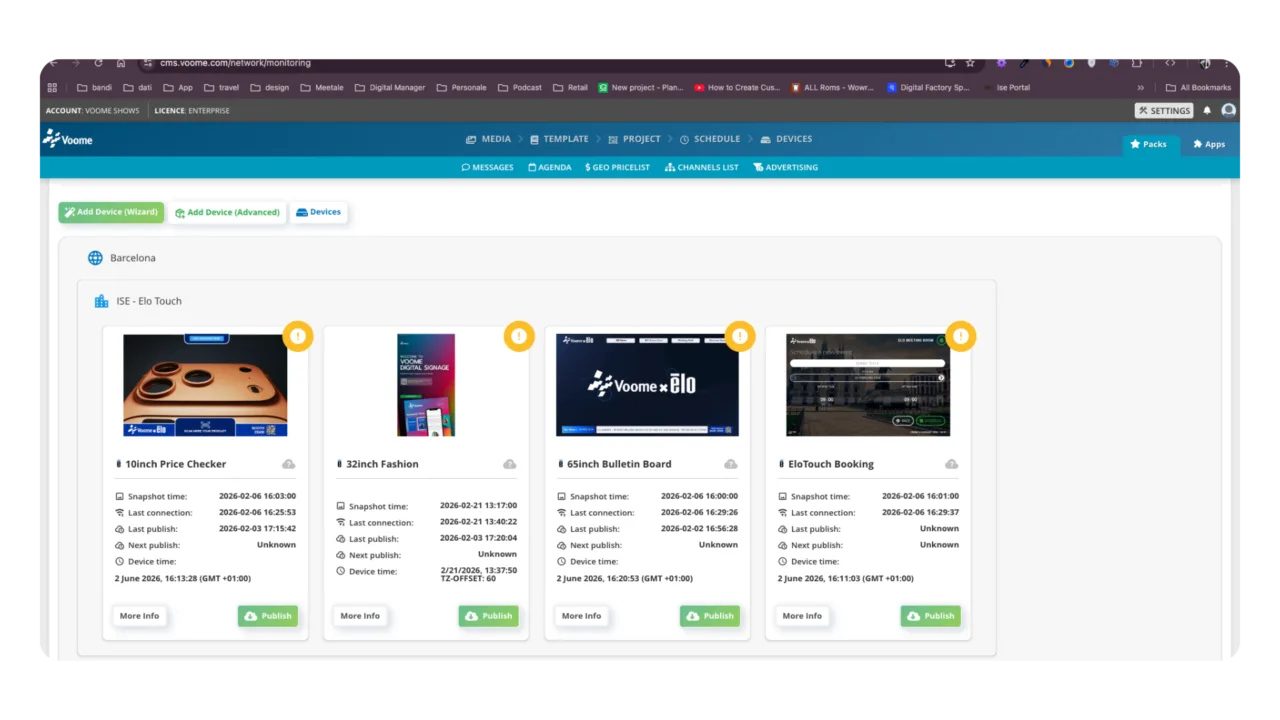
Analyze heartbeat in real-timeInspect deep system logsInspect device storageExecute remote recovery commands
Eliminate costly on-site interventions and slash ticket resolution times. The Voome Diagnostic Tool acts as a true Remote Network Operations Center (NOC) . Because Voome certifies the hardware from SpinetiX media players to SoC displays by LG, Samsung, Iiyama, and Hisense you get a secure gateway that bypasses firewalls and NAT. This deep hardware access allows your IT team to pull system logs, inspect internal storage, and execute low-level commands remotely, ensuring flawless digital signage uptime.
Resolving an Airport Video Wall “Black Screen” in Under 3 Minutes
The Challenge: In high-visibility environments like airport terminals, a black screen is not just a technical glitch; it is a major reputational and financial risk. During peak holiday travel, a critical SpinetiX HMP-350 player driving a massive Iiyama video wall suddenly stopped displaying content. The traditional IT approach involves opening a support ticket, dispatching a local technician, and facing hours of downtime just to physically access the hardware mounted high above the passenger concourse.
The Voome Solution:The IT Helpdesk immediately launched the Remote Service Console directly from the Voome CMS . This diagnostic tool acts as a secure maintenance console, acting as a relay to penetrate local firewalls and NAT to reach the device . First, they checked the Heartbeat: the system showed a delayed heartbeat, indicating network congestion on the terminal’s Wi-Fi rather than a powered-off or dead device .
Execution & Results:Leveraging Voome’s deep hardware certification, the operator remotely inspected the device’s Internal Storage to view cached media and project assets . They then pulled the Debug Logs. The logs quickly revealed the root cause: a massive 4K video asset had suffered a failed download due to the unstable terminal Wi-Fi, corrupting the media cache and triggering a severe playback error .
The fix was executed entirely from the operator’s browser. The technician triggered a Refresh content command to force the player to drop the corrupted file, re-download the schedule, and re-fetch the media assets. Finally, a quick Restart player command reinitialized the signage process in seconds without needing a full, time-consuming hardware reboot . The video wall was back perfectly in sync. The issue was isolated, diagnosed, and resolved in minutes achieving zero truck rolls and immediate recovery for a mission-critical asset.
Core Features VOOME REMOTE MANAGEMENT
Deep Log &Event Analysis
Gain total transparency into the player's internal operations. Remote access to system logs lets you review content download errors, rendering issues, and CMS communication events . It is the ultimate tool for troubleshooting black screens or unsupported video codecs
Heartbeat &Connectivity Diagnostics
Assess network health before blaming the hardware. The tool monitors the player's heartbeat, tracking response latency and connection interruptions . This allows you to instantly classify a disservice as a network failure, a device crash, or hardware going offline .
Remote CommandExecution
Restore operations bypassing the local network interface. Send a Restart player command to fix a frozen playback process in seconds , execute a full Reboot device for OS instability , or force a Refresh content to reload playlists and fetch missing media .
Content Synchronization &Performance Check
Verify the exact alignment between your planned campaign and the device's output. Check real-time parameters like the active project, playlist index, and schedule timestamps . Simultaneously, monitor system metrics such as CPU usage and memory loads to proactively detect resource leaks .
WE'RE DEDICATED TO CRAFTING A PRODUCT THAT'S BOTH GROUNDBREAKING AND SECURE